

Download Volafile – Free Live File Sharing, Secure Temporary Storage & Chat
Overview of Volafile
Volafile is a free, web‑based live file‑sharing service that emphasizes speed, simplicity, and privacy. Unlike traditional cloud drives that store your data indefinitely, Volafile creates a temporary storage room where users can upload, download, and discuss files in real time. The moment a room is generated, a unique URL is produced, allowing you to invite collaborators without the need for accounts, passwords, or email verification.
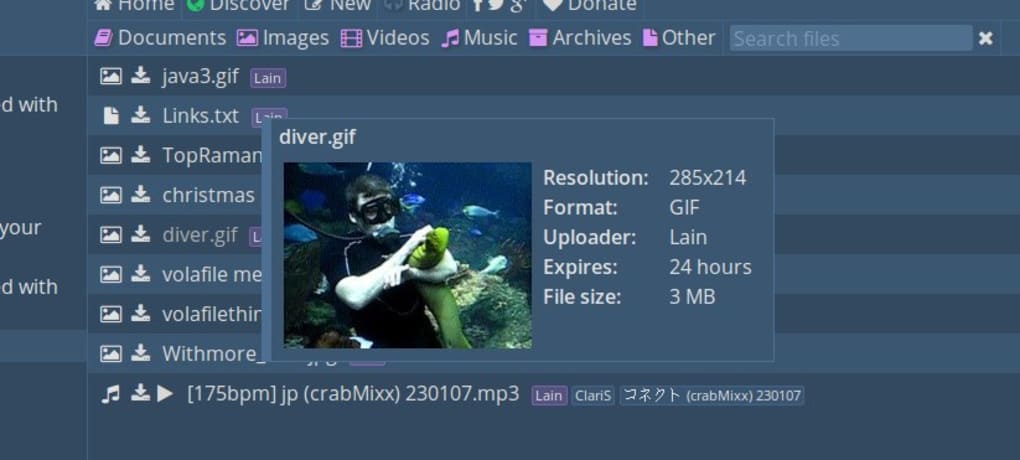
All files are automatically deleted after 48 hours, and the remaining time for each file is displayed beside its name, ensuring you always know when the content will disappear. This design makes Volafile an ideal tool for quick transfers of large media, software builds, or confidential documents that should not linger on the internet. Its drag‑and‑drop interface works across modern browsers, delivering a seamless experience on Windows, macOS, Linux, Android, and iOS devices.
Because there is no permanent storage, Volafile also reduces the risk of data breaches, making it a secure choice for developers, designers, and everyday users who need a fast, reliable way to exchange files without leaving a digital footprint.
Key Features & Benefits
- Instant Room Creation: Generate a private sharing room with a single click and receive a shareable URL.
- Live Chat Integration: Communicate with participants in real time while files are being uploaded or downloaded.
- Drag‑and‑Drop Uploads: Add files quickly by dragging them into the browser window; no additional software required.
- Automatic Expiration: All files are automatically deleted after two days, with a visible countdown timer for each item.
- No Account Needed: Users can join rooms and transfer files without creating an account, keeping the process frictionless.
- Cross‑Platform Compatibility: Works on Windows, macOS, Linux, Android, and iOS through any modern web browser.
- Secure Transfer: Files are transmitted over HTTPS, ensuring encryption during upload and download.
- High File Size Limits: Supports large files up to several gigabytes, making it suitable for video, software builds, and design assets.
- Free of Charge: All core functionalities are available without any subscription or hidden fees.
The combination of these features positions Volafile as a versatile tool for both casual users and professionals. Developers can share beta builds quickly, designers can hand off large artwork, and remote teams can collaborate on documents without the overhead of traditional cloud services. Because the platform is free and does not require an account, onboarding is virtually instant, which improves workflow efficiency and reduces administrative burdens.
Installation, Usage Guide & Compatibility
How to Get Started – No Download Required
Volafile is a browser‑based application, which means you do not need to download or install any additional software on your device. To begin, open any up‑to‑date browser such as Chrome, Firefox, Edge, Safari, or the default browsers on Android and iOS. Navigate to volafile.io, click the “Create Room” button, and a unique URL will appear instantly. Copy this link and share it via email, messenger, or any communication channel you prefer.
Uploading and Downloading Files
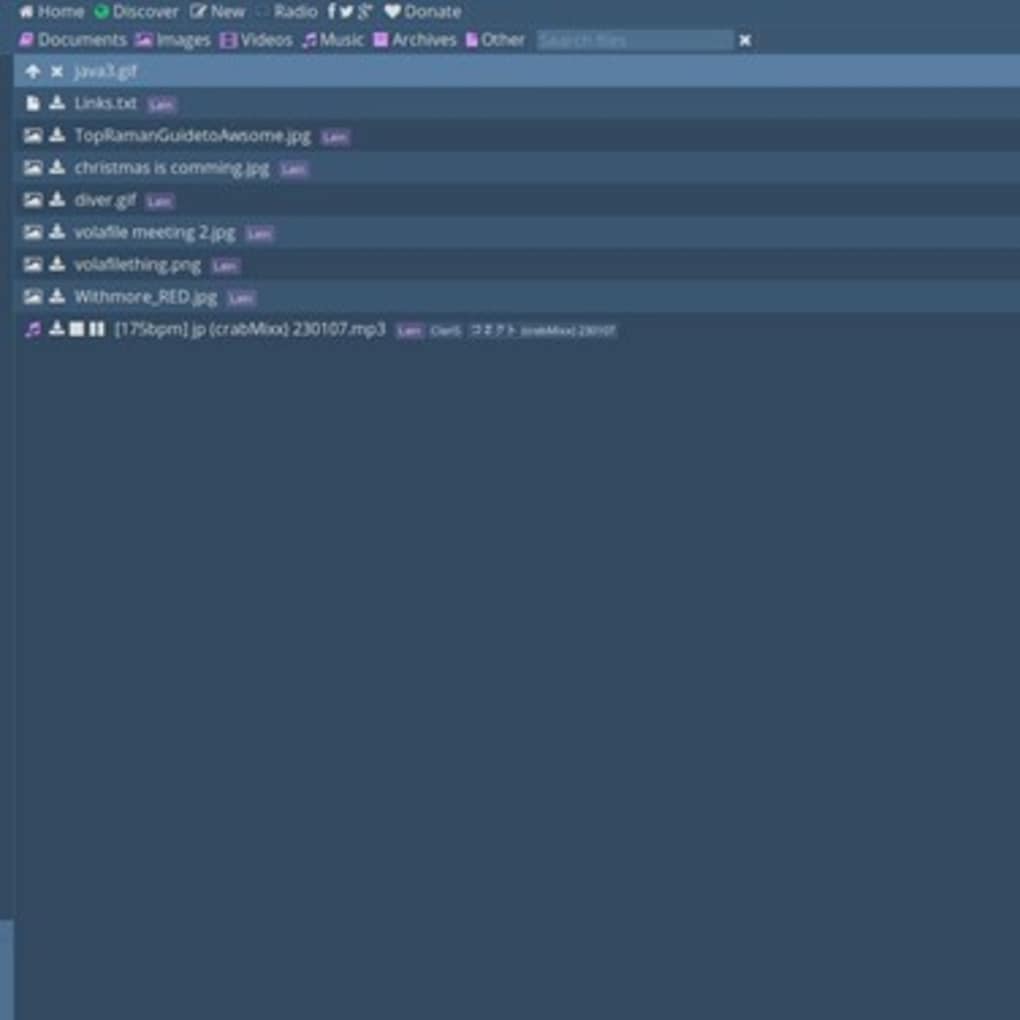
Once participants join the room, they will see a clean interface with a drag‑and‑drop zone. Simply drag files from your desktop, laptop, tablet, or phone into the zone, or click the “Select Files” button to browse manually. Upload progress is displayed in real time, and each file shows a countdown timer indicating how long it will remain available. To download, click the file name or the download icon; the file will be saved to your default download folder. The entire process is encrypted via HTTPS, ensuring that the data remains private while in transit.
Operating System Support
Volafile works flawlessly on the following operating systems:
- Windows 10, 11 (any modern version)
- macOS 10.15 (Catalina) and later
- Linux distributions with recent browsers (Ubuntu, Fedora, Debian, etc.)
- Android 8.0 (Oreo) and later
- iOS 13 and later (iPhone & iPad)
Best Practices for Secure Sharing
While Volafile encrypts traffic, consider the following tips to maintain security: share the room URL only with trusted recipients, avoid uploading personally identifiable information (PII) unless absolutely necessary, and close the room manually if you want to end the session before the automatic 48‑hour expiration. These practices, combined with the platform’s built‑in temporary storage, help keep your data safe and private.
Pros, Cons & Frequently Asked Questions
Pros
- Completely free with no hidden fees.
- No account creation required – instant access.
- Real‑time chat enables seamless collaboration.
- Automatic file expiration protects privacy.
- Supports large files and multiple platforms.
- HTTPS encryption ensures secure transfers.
Cons
- Files are deleted after 48 hours – not suitable for long‑term storage.
- No built‑in version control or file organization features.
- Reliance on internet connectivity; offline access is unavailable.
- Limited customization of the sharing room UI.
Frequently Asked Questions
Is Volafile safe for sharing confidential documents?
Yes. All data is transmitted over HTTPS, and files are automatically removed after two days. However, for highly sensitive data you should still share the room link only with trusted parties and consider encrypting files before upload.
Do I need to create an account to use Volafile?
No. Volafile is designed for instant sharing without registration. You simply create a room, copy the URL, and start uploading.
Can I set a custom expiration time for my files?
The platform automatically expires all files after 48 hours, and the timer is not configurable. This policy helps keep the service clean and privacy‑focused.
What file size limits does Volafile impose?
Volafile supports large files up to several gigabytes per upload, limited primarily by your browser’s capabilities and internet bandwidth.
Is there a mobile app for Volafile?
Volafile does not have a dedicated native app, but its web interface works perfectly on Android and iOS browsers, providing the same drag‑and‑drop and chat experience.
Overall Rating: 4.5/5 – Volafile shines as a fast, free, and secure solution for temporary file sharing. Its lack of long‑term storage and limited UI customization are the only downsides for power users.
Conclusion & Call to Action
If you need a quick, no‑frills way to exchange large files while keeping them private, Volafile delivers exactly that. The service’s instant room creation, built‑in chat, and automatic two‑day expiration make it perfect for developers pushing nightly builds, designers sharing high‑resolution assets, or anyone who wants a secure, free alternative to traditional cloud storage. Because there’s no software to install and no account to manage, you can start sharing in seconds on any device—whether you’re on Windows, macOS, Android, or iOS.
Ready to try a hassle‑free file‑sharing experience? Create your first Volafile room now and discover how effortless secure transfers can be.



.png)



